Spam Filters for Outlook XP/2000
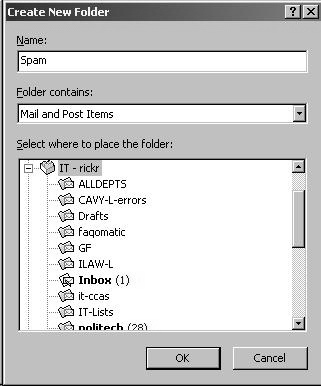
First, create a folder to hold incoming SPAM. Open Outlook, click on your Inbox folder and select File, New, Folder. Enter a descriptive name for the folder
(for example, Spam) and specify the
location with the Select where to place the
folder box. I recommend that you select the top level of your e-mail
folders, so your new Spam folder is created at the same level as your other mail
folders.
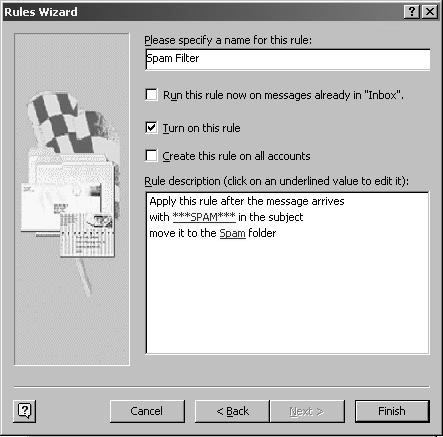
Open Tools, Rules Wizard. Click the New button to create a new rule. Then follow
these steps:
Click OK to close the Rules
Wizard.
Periodically check your Spam folder for unsolicited messages, and
empty it as needed.
|